Documentation Index

Fetch the complete documentation index at: https://docs.yyassif.dev/llms.txt

Use this file to discover all available pages before exploring further.

Vercel is a cloud platform that enables developers to host websites and web services that deploy instantly. You can deploy your RAGenius frontend on Vercel by following the steps below.

Setup the Environment Variables

NEXT_PUBLIC_ENV=prod
NEXT_PUBLIC_BACKEND_URL=<your backend url>
NEXT_PUBLIC_SUPABASE_URL=<your supabase url>
NEXT_PUBLIC_SUPABASE_ANON_KEY=<your supabase anon key>
NEXT_PUBLIC_CMS_URL=https://cms.yyassif.dev
NEXT_PUBLIC_FRONTEND_URL=<your frontend url>

Deploy the Application

  1. Click on the “Deploy” button in your Vercel project.
  2. Select the branch you want to deploy (e.g., main).
  3. Click “Deploy”.

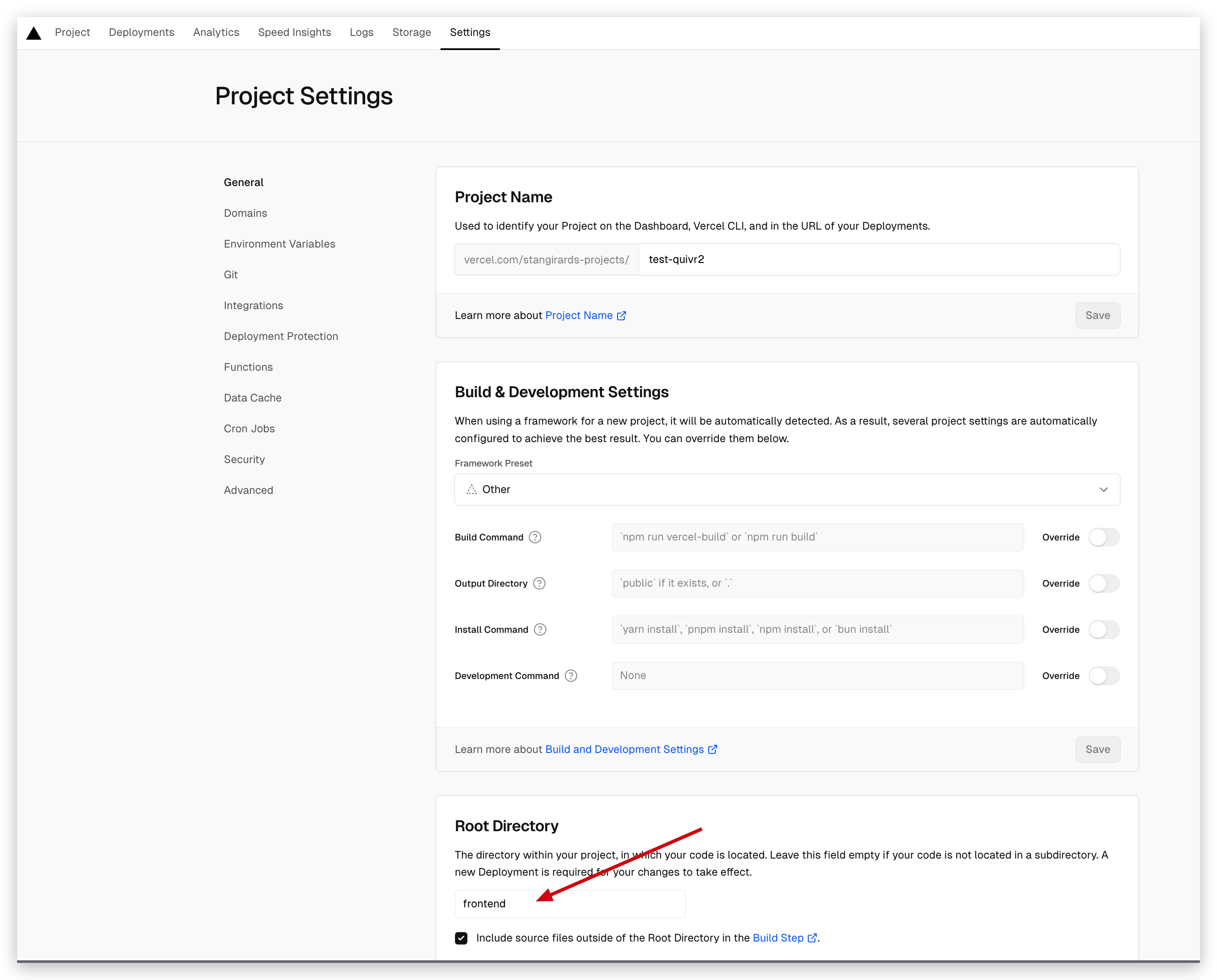
Change source directory

Then go to your settings for the project and change the source directory to frontend: Change source directory